
When you think about the classic layout of websites, there is a good chance that you picture a column with numerous links and information to the right or left of the main page. This column is known as a sidebar. It is an extremely well-known feature throughout the web.
However, for it to be effective on your site, it is essential to understand how a sidebar works. Not all websites need a sidebar, and some designs will be better off without this element. With that in mind, we are going to take a deeper look at the purposes of this feature, which sites should use it, and how it works on mobile devices.
What is a sidebar (and why is having one so useful)?
In short, a sidebar is a column (bar) placed to the right or left of the main page (side). The feature is often used to display various supplementary information to users, such as:
- Navigation links to key pages
- Adverts for products or services
- Email sign-up forms
- Popular posts
- Links to social media profiles
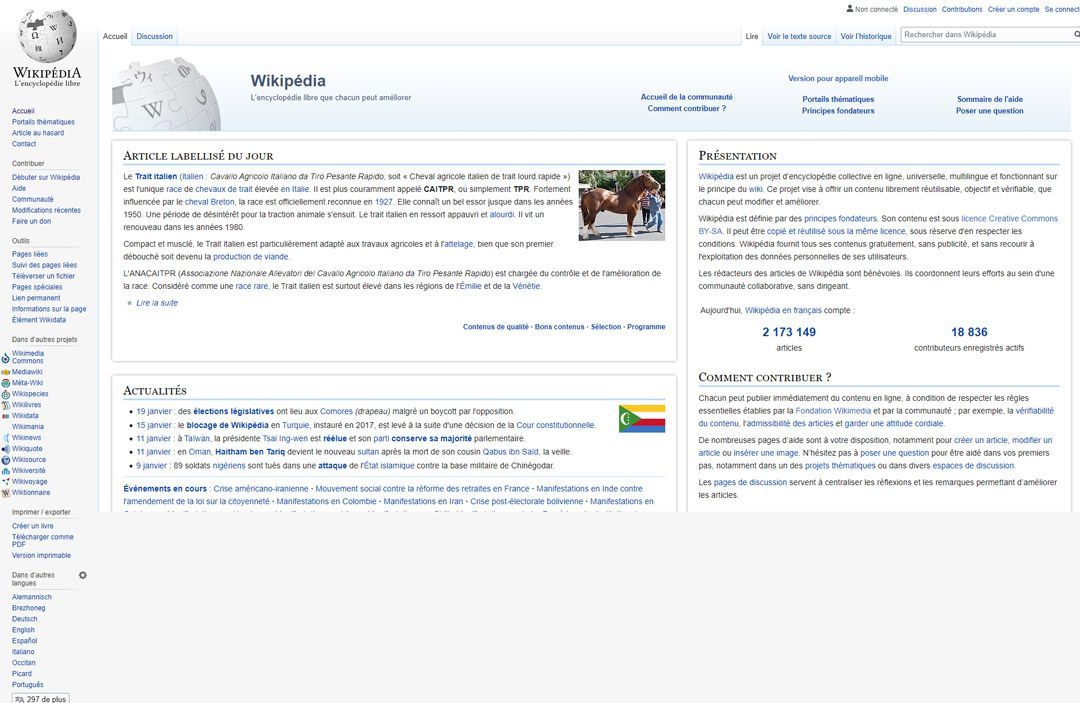
Among the 10 most popular sites, 8 have a sidebar. Wikipedia uses it as a navigation menu:
Sometimes it is used for author biographies, disclaimers, and so on.
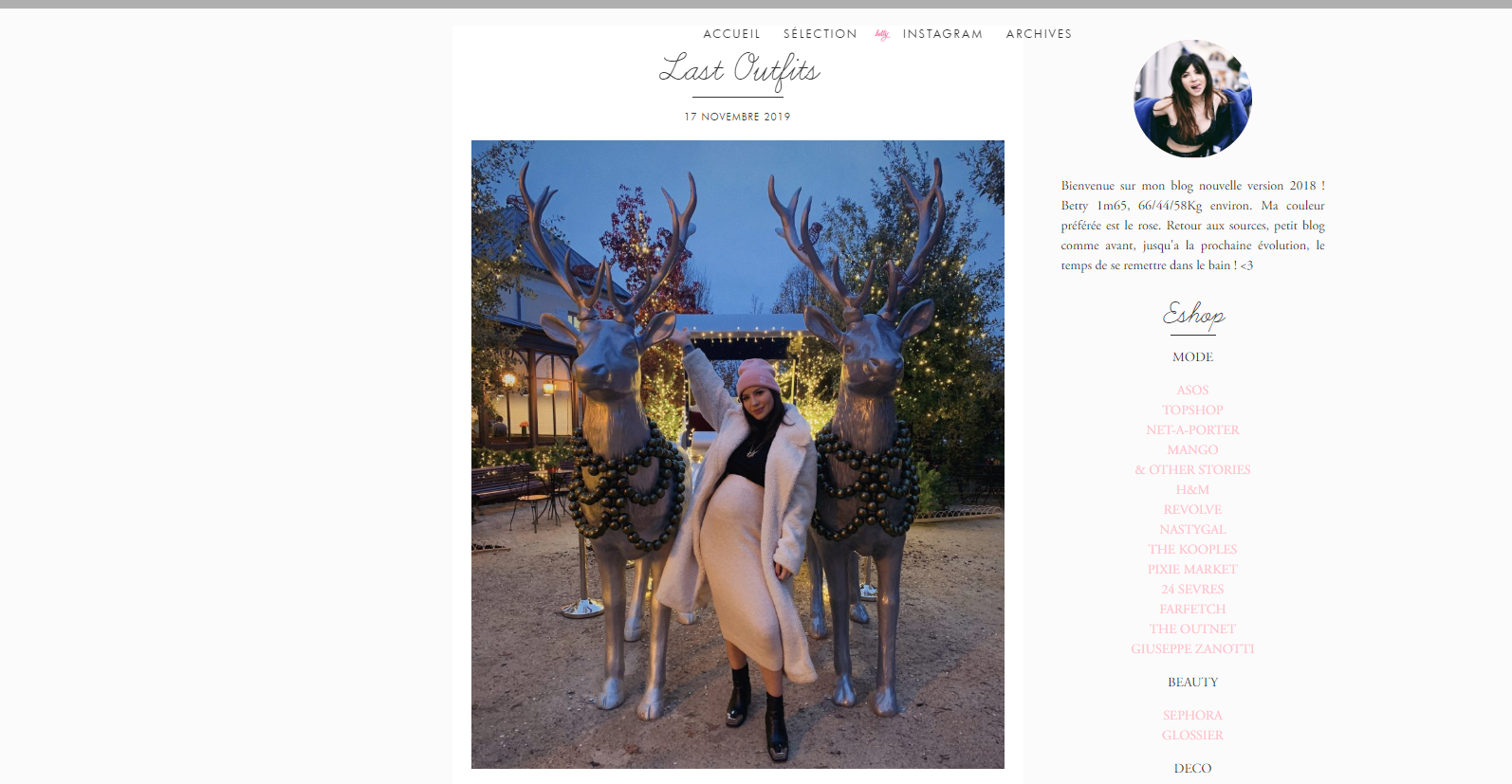
The sidebar keeps certain information permanently visible. It can be read at any moment.
This is why sidebars often contain call-to-action buttons, such as newsletter sign-up prompts.
Navigation features work better with a sidebar because they are easy to find.
2 types of websites that benefit from a sidebar
You can include a sidebar on almost any type of website. However, they are particularly useful in certain situations. Here are two that, in our view, are worth mentioning.
1/ Content-rich websites
Blogs, news sites, online magazines, and all other content-rich sites share one thing in common: they survive by continuously publishing more articles.
The more content you have, the harder it becomes to navigate the site. You can use a sidebar to:
- Include links to your social media profiles or a sharing button
- Display a newsletter sign-up where users won't miss it
- Show links to related posts or pages
- Highlight your most popular post
- Add a search bar that is easy to find
A sidebar can help users discover engagement opportunities they might otherwise miss, encourage subscriptions and return visits, and improve navigation to keep readers on your site longer. All of these outcomes benefit your site and can increase the revenue it generates.
2/ Online shops
Websites don't come much more complex than online shops. The more products your e-commerce site offers, the more pages it contains. This makes sidebars all the more useful for including elements such as:
- Related products and previous purchases
- The "Add to basket" button
- Customer reviews and ratings
- Adverts for special offers or current promotions
- A cart overview so customers can keep an eye on their purchases and spending
E-commerce sites involve a great deal of "visual clutter". If you take a look at Amazon or eBay, you will immediately see what we mean:
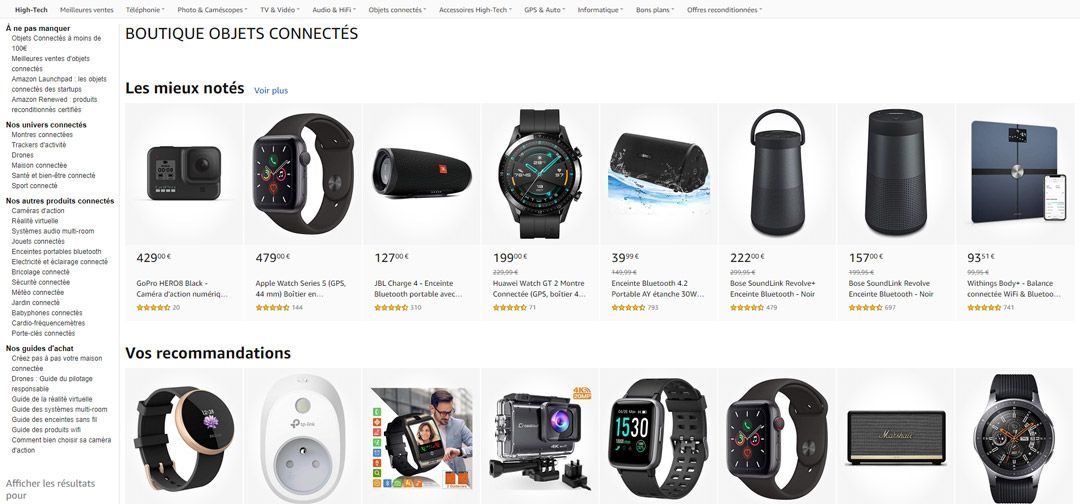
Any element that can help you organise this visual clutter and make your pages more user-friendly is welcome, including sidebars.
How do sidebars integrate into mobile sites?
Despite their proven usefulness, sidebars have recently come in for criticism, largely because they do not display well on mobile devices. Given the limited screen size of smartphones and tablets, devoting more than a third of the page to secondary content is impractical.
Instead, this information is typically pushed to the bottom of the page, where it is less likely to be found. Since mobile traffic now accounts for more than 51% of internet usage worldwide, this is a significant issue for web design.
In response, some sites have chosen not to use a sidebar at all. While this makes sense, it also means these sites cannot take advantage of the benefits this layout offers. If you manage a content-rich blog or an e-commerce store, this could prove to be a real problem.
One option is to hide your sidebar on mobile devices. This will allow users to see your secondary content whilst keeping your site readable on smartphones and tablets.
Another solution is to hide some of your supplementary content on smaller devices. For example, if you have social media buttons in your header, you can remove them from your mobile sidebar to avoid repetition.
There are also collapsible sidebars for your mobile site. Users can then choose to show or hide it as needed.
Conclusion
Although you want your main content to take centre stage, there is also a great deal of other information that your site's users need. With a sidebar, you can display essential elements such as links to key areas, email sign-up forms, and more.
Sidebars have certain drawbacks when it comes to mobile browsing, but change is not imminent. Instead, we need to rethink the way we approach their design. With the right tools, you should be able to manage perfectly well.
Questions about the best way to make the most of your sidebar? Leave them in the comments section below!
YOU MIGHT ALSO LIKE
UGC, the future of marketing: how user-generated content can revolutionise your marketing strategy
by Yumea, 7 March 2023
UGC (User Generated Content) is changing the game in the world of marketing. With the rise of social media and content-sharing platforms... READ MORE
Category: News , Getting visible online , Social media
Comments: 0
How to use Instagram to reach your audience and drive traffic to your site
by Yumea, 1 February 2023
Social media has become an indispensable tool for businesses looking to reach their target audience and drive traffic to their website. With more than 3.8 billion active users... READ MORE
Category: Getting visible online , Instagram , Social media
Comments: 0
7 artificial intelligence (AI) tools to know in 2023
by Yumea, 12 January 2023
In 2023, there are many sites that use artificial intelligence (AI) to help users write content and generate images. If you are looking for tools to help you write... READ MORE
Category: News
Comments: 0