
Founded in 2010 and named Apple's app of the year in 2011, the photo and video sharing social network Instagram is all too often an underused or misused communications tool.
Yet with more than one billion users, Instagram offers numerous ways to reach a targeted audience with precision. It is widely regarded as the most engaging social network, generating nearly 80 times more interactions than Facebook and 160 times more than Twitter!
The advantages of video on Instagram
Originally designed for sharing photos, Instagram has gradually evolved by introducing new features and, above all, by opening up to video. And since video is known to be a powerful way to promote your brand, business, or association, it would be a shame not to take advantage of it.
The one challenge is that producing suitable, quality video content can be costly in terms of time and money. The ideal solution is to maximise its value by publishing it across various platforms or, even more simply, to directly repost existing content! In that case, a few rules apply:
- obtain permission — both as a courtesy and in compliance with the terms of use
- credit the original creator of the video — the aim is not to steal
- in the case of official content, repost it as close to its original form as possible
So, how do you repost a video on Instagram?

Option 1: repost an Instagram story in which you have been tagged
Stories are one of the reasons for Instagram's success! And ever since it became possible to tag users in them and notify them by sending a link to their profile, their popularity has shown no sign of waning.
To repost this type of content, you need to click on the link in the relevant notification (accessible via the paper plane icon). This link offers you the option to directly repost the content in your own story. You can then add stickers, text, and tag the original story in return.
Option 2: use the DownloadGram application
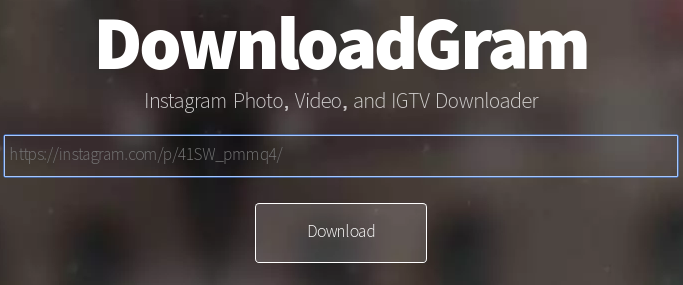
The simplest and most traditional way to repost a video on Instagram is to use an application such as DownloadGram. It is very easy to use, and we recommend it for three reasons:
- the application is free and can also be used on a computer
- no account creation required
- it downloads the video, allowing you to repost it at will
To do this, you need to copy the URL of the video and paste it into DownloadGram. You can then download a copy of the video in MP4 format. And don't forget — to make it clear that the shared video is not yours, use the description to give a nod to the creator!
Option 3: use an app
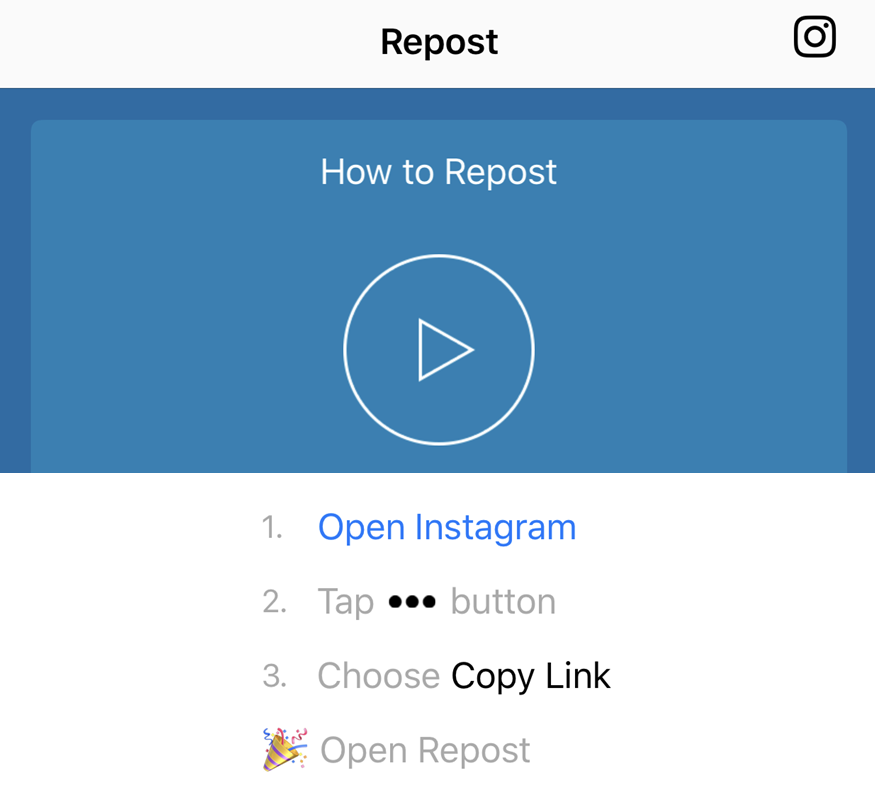
Type the word "repost" in the iOS or Android app store and you will find numerous applications offering the same functionality as DownloadGram, but without the download step.
We recommend, for example, "Repost for Instagram Plus" which, right from the home screen, offers a clear and concise explanatory video.
The only downside is that, in general, these applications only allow reposting from Instagram to Instagram.
Ready to start reposting?
There are many ways to repost a video from Instagram on Instagram, or even elsewhere. So whether you have created a video that is performing particularly well and want to leverage it on other social networks, or you simply want to share content that caught your interest — as you will have gathered, reposting videos is both simple and highly effective!
YOU MAY ALSO LIKE
UGC, the future of marketing: how user-generated content can revolutionise your marketing strategy
by Yumea, 7 March 2023
UGC (User Generated Content) is changing the game in the world of marketing. With the rise of social networks and content-sharing platforms, ... READ MORE
Category: News , Getting visible online , Social media
Comments: 0
How to use Instagram to reach your audience and drive traffic to your website?
by Yumea, 1 February 2023
Social networks have become an indispensable tool for businesses looking to reach their target audience and drive traffic to their website. With over 3.8 billion active users ... READ MORE
Category: Getting visible online , Instagram , Social media
Comments: 0
7 artificial intelligence (AI) tools to know in 2023
by Yumea, 12 January 2023
In 2023, there are many websites using artificial intelligence (AI) to help users write content and generate images. If you are looking for tools to help you write ... READ MORE
Category: News
Comments: 0