
Whether you use Instagram for a personal or professional account, there is a multitude of tools and tips that let you work on your account with or without an internet connection. You can schedule posts in advance, curate your feed, or even personalise your stories. Enough said — let's dive in and discover these tips…
01 – Planoly: the post scheduler
Starting with this app seemed like an obvious choice. After all, the beating heart of Instagram is your feed and the frequency at which you post. Planoly lets you work on both aspects very simply. With a maximum of 30 posts per month (on the free plan), it gives you a complete overview of your feed — past and future posts alike — and allows you to manage your publications without leaving the app.
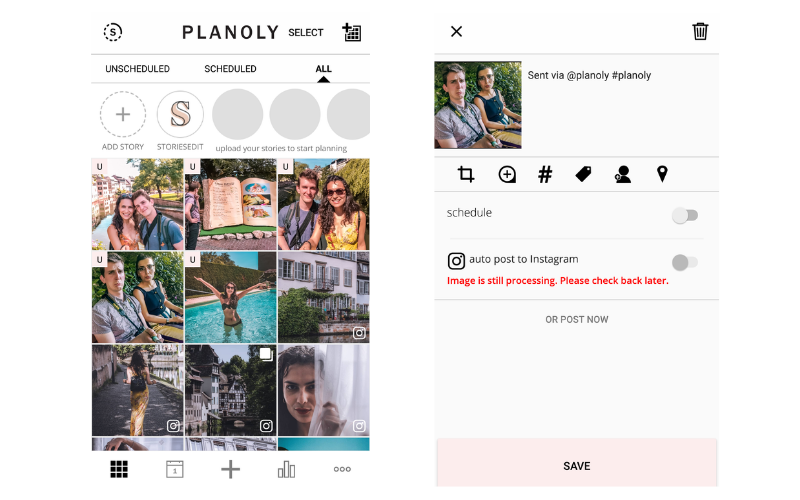
Once your images are imported, you can arrange them however you like in your feed using a very intuitive drag & drop system. Then, when you click on one of them, you can edit your content to your heart's content, just as if you were posting directly on Instagram. You can write a caption, mention contacts, add a location, or insert groups of hashtags that you have pre-created within the app. You will notice that scheduled posts are marked with an S (scheduled) and unscheduled ones with a U (unscheduled).
What we love: the fact that you can manage your schedule and your feed in one single app at a glance.
What we love less: the app is only available in English, so make sure you account for English time zones when scheduling your posts.
02 – VSCO Cam: to retouch your photos
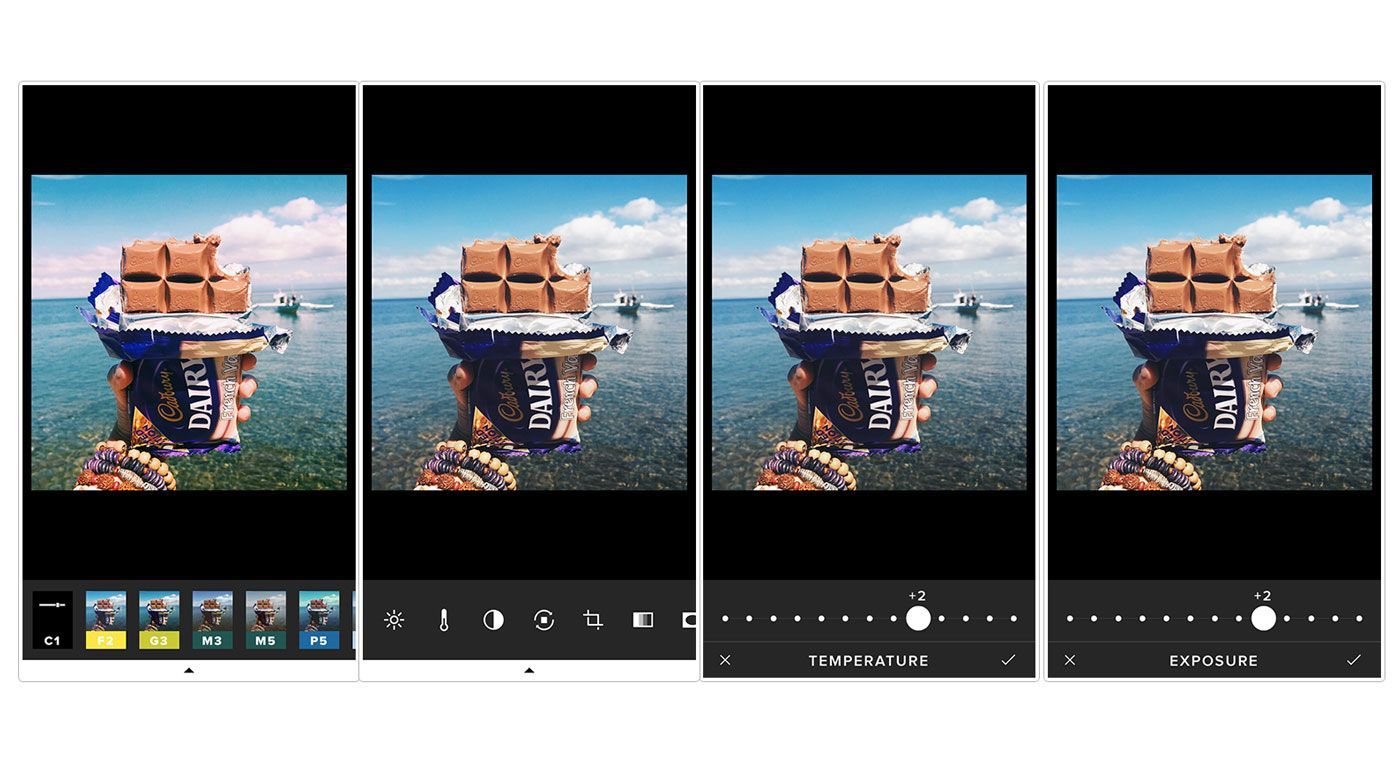
If you are a photography enthusiast, you are probably already familiar with this essential app. It lets you take high-quality photos using its built-in camera (with adjustable focus, brightness, and more), and also enhances your shots with a wide range of editing tools and filters.
What we love: the near-limitless editing possibilities the app offers.
What we love less: the free version limits the filters available. You will need to upgrade to the premium version to access all of them.
03 – Canva: to customise your posts
Canva is an app you can use to create stand-out images, whether in your Instagram feed or in your stories. You can overlay text, create multi-image layouts, and incorporate a wide range of graphics to raise the level of your posts and catch your readers' attention.
It is particularly useful for creating stories that stand out from the crowd, and if you stick to a few consistent image formats and fonts in Canva, you can start ensuring your followers always recognise your content.
Canva is available for iOS and Android, and you can also use it on the web.


YOU MAY ALSO LIKE
UGC, the future of marketing: how user-generated content can revolutionise your marketing strategy
by Yumea, 7 March 2023
UGC (User Generated Content) is changing the game in the world of marketing. With the rise of social media and content-sharing platforms, the … READ MORE
Category: News , Getting visible online , Social media
Comments: 0
How to use Instagram to reach your audience and drive traffic to your website?
by Yumea, 1 February 2023
Social media has become an indispensable tool for businesses looking to reach their target audience and drive traffic to their website. With more than 3.8 billion active users … READ MORE
Category: Getting visible online , Instagram , Social media
Comments: 0
7 artificial intelligence (AI) tools you need to know about in 2023
by Yumea, 12 January 2023
In 2023, there are many platforms using artificial intelligence (AI) to help users write content and generate images. If you are looking for tools to help you … READ MORE
Category: News
Comments: 0