
Spot UV varnish, increasingly popular in the print world, refers to a very specific finish. This finish involves varnish being applied to certain areas of the printed material selected by your client — such as the logo, an image, a block of text, and so on. This type of finish makes your print creation more pleasing to look at and touch, and gives an original sense of relief and shine.
Naturally, the cost of this method will likely be higher than printing on plain paper, and spot UV varnish is generally applicable to high-quality, heavyweight paper. It is used on various types of materials such as flyers, business cards, brochures, and much more. But what about the technique itself? We will look at how to create an attractive design with spot UV varnish across several key areas.
1/ Photographs
Applying varnish to photos within a design can add an elegance advantage and more easily draw the eye. Matt lamination often tends to mask colours: varnishing photos by cutting out a subject, for example, will highlight and give relief to those elements, which can be important.
2/ Logos
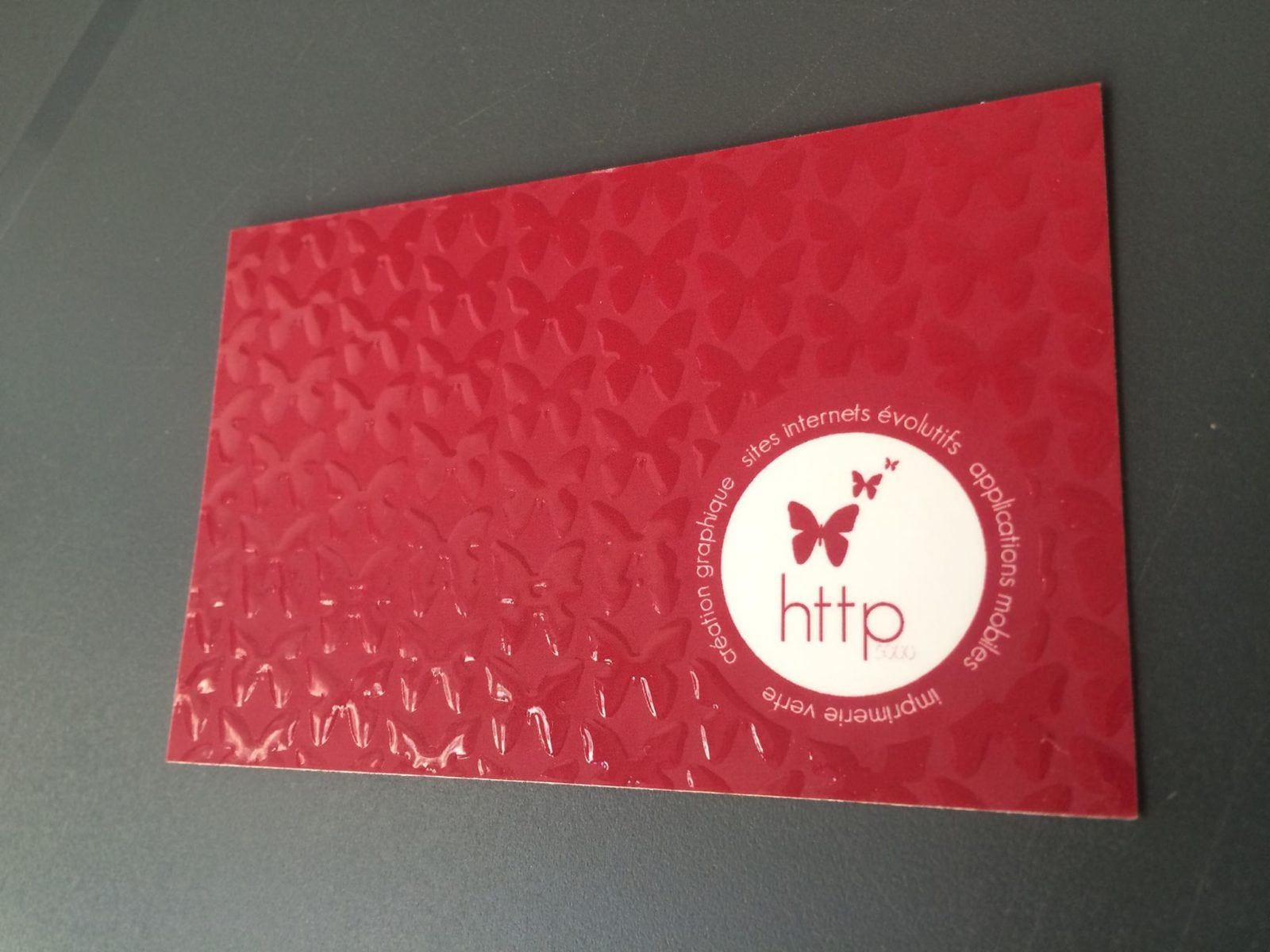
Logos with spot UV varnish are highly valued on agency communications materials. Certain varnished parts of a logo create a beautiful raised effect and draw the eye far more effectively.
Our own business card, for example, features spot UV varnish on one element of our logo, creating a relief effect:
3/ Text
In general, it is the text or the title that the client chooses to highlight with a layer of spot UV varnish. However, beware of thin text and small type sizes, as the varnish that is deposited prefers a thick surface rather than the very thin one that offset ink can produce. To give a sense of scale, the registration tolerance is set at 0.5mm — an extremely small margin for letters such as o, p, or a.
4/ Varnish for texture effects
Texture effects are interesting because varnish is capable of reproducing the appearance of materials such as leather, scales, wood, and even water droplets.
5/ Varnish as a fifth colour
Treating varnish as a fifth colour means adding coloured varnish over a background or a shape according to your client's needs. The graphic element is therefore only visible through its sheen, but the opacity effects can deliver an original result.
What should you avoid when applying spot UV varnish?
Ideally, when using this type of varnish, you should avoid applying it on folds and scores. Logical as this sounds, it can sometimes be deceptive: the varnish can "crack" at the fold and create white flaking. To avoid this, leave a varnish-free space of approximately 1.5mm around folds.
The file to supply to your client
When producing a design for a client, it is essential to think about two types of files to send them: one for the four-colour print (CMYK), and a second for the varnish. This file must consist of entirely black elements, and the varnish must therefore register perfectly.
You can, however, allow the varnish to bleed slightly onto the lightest colour if you are fond of bleed effects on a dark background.
Ready to put this technique into practice?
YOU MIGHT ALSO LIKE
UGC, the future of marketing: how user-generated content can revolutionise your marketing strategy
by Yumea, 7 March 2023
UGC (User Generated Content) is changing the game in the world of marketing. With the rise of social networks and content-sharing platforms, consumers have become content producers in their own right... READ MORE
Category: News , Becoming visible online , Social media
Comments: 0
How to use Instagram to reach your audience and drive traffic to your site?
by Yumea, 1 February 2023
Social media has become an indispensable tool for businesses looking to reach their target audience and drive traffic to their website. With more than 3.8 billion active users... READ MORE
Category: Becoming visible online , Instagram , Social media
Comments: 0
7 artificial intelligence (AI) tools to know in 2023
by Yumea, 12 January 2023
In 2023, there are many sites that use artificial intelligence (AI) to help users write content and generate images. If you are looking for tools to help you write... READ MORE
Category: News
Comments: 0