
Today, more than 400 million people use the LinkedIn social network across more than 200 countries, and more than 4 million companies have a page. LinkedIn is the largest professional social network. This is why, if you have not done so already, you should create an account to develop your business.
LinkedIn has its own way of operating, its own vocabulary, and its own interface. When you first arrive on this social network, it can be quite tricky to find your way around. That is why we are setting out a few of LinkedIn's basic features, with explanations on how to access them.
Download the free checklist for a converting LinkedIn profile
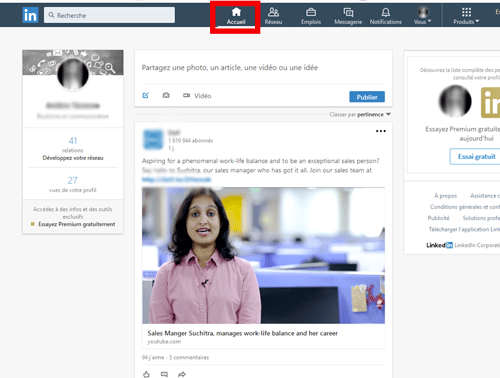
The Home feed
This section is located at the far left of your LinkedIn features menu at the top. You will find all the updates published, liked, and commented on by the people you follow or with whom you are connected. You can also comment, like, and share these posts. To follow a person, simply visit their profile and click "Follow".
The "My Network" function
This function is in second position on the left of your LinkedIn features menu. It contains everything related to your professional connections.
Connecting
This term refers to the act of establishing a professional relationship with a person. Once you connect with them, they become part of your network — you can send them a message and see all their activity (likes, shares, comments…).
To create a professional relationship with someone, simply click "connect" under that person's profile.
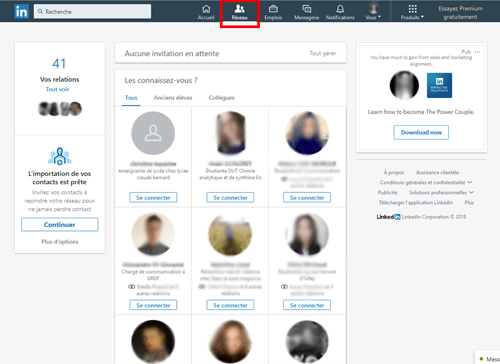
People You May Know
In the "My Network" function, a number of people are suggested with whom you are likely to have connections, experiences, or profile data in common. These people may also be contacts imported directly from your mobile or email addresses.
It is up to you to decide whether or not to connect with these people.
To access these suggestions, go to the "People You May Know" section. Once you are in My Network, you will see any pending invitations, and if there are none, "People You May Know" will be displayed with suggested profiles.
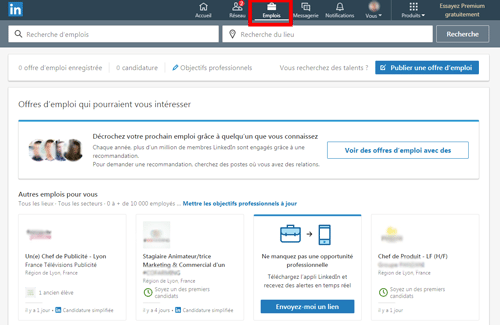
The "Jobs" function
This allows you to post job vacancies by clicking the blue "Post a job" button on the right of the page.
To access this function, go to the top of your LinkedIn features menu bar.
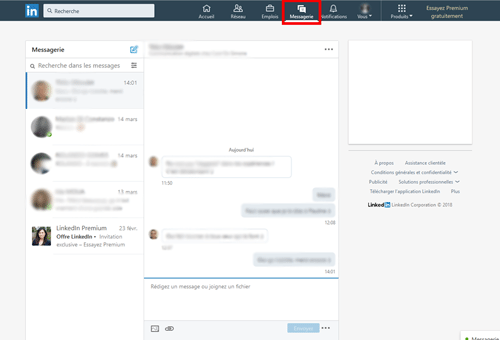
Messaging
This function is in 4th position on your menu bar. It contains all the messages you have exchanged with professionals. It lets you see whether your recipients are online so you can send them instant messages, and subsequently check whether they have received and read them.
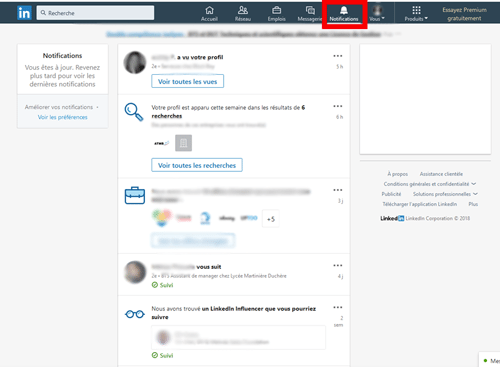
Notifications
These are located at the top right of the menu bar and provide a summary of all the activity that occurred while you were away, linked to your professional connections and the people you follow. You can view them simply by clicking on them.
The "Me" function
Located at the top of the bar, this brings together all the sections relating to you.
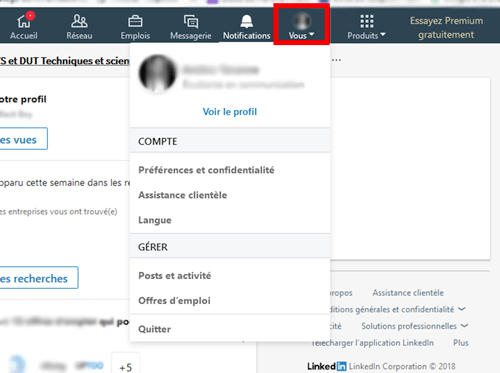
Your Profile
On your profile you should fill in as much information as possible about yourself, to build trust — your professional background, your current position, your projects, experiences, training, qualifications, and so on.
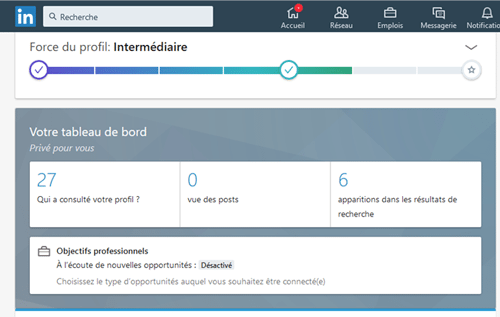
The Dashboard
This section is private — only you can see it. It provides a summary of the number of people who have visited your profile in the last 90 days, the number of views your posts have received, and the number of times you have appeared in search results. It also lets you see who has viewed your profile and how many times you have appeared in search results.
To access it, make sure you are in the "Me" function, then click "View your profile" and scroll down until you reach "Your Dashboard".
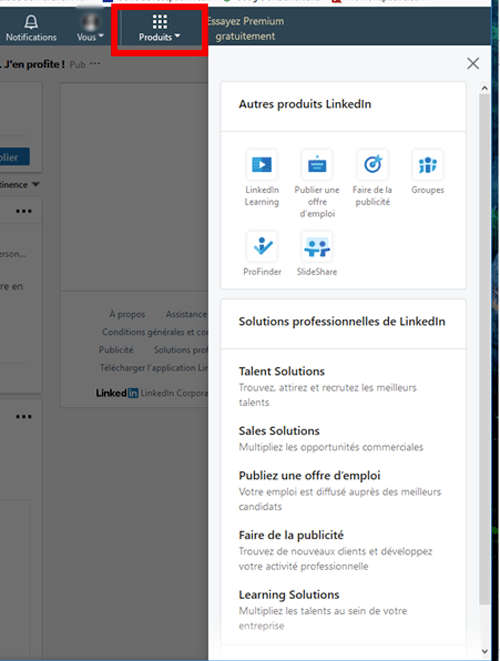
The "Products" function
You access this at the far top right of your menu bar. Once in this section, you will discover 2 very interesting categories for your business: other LinkedIn products and LinkedIn business solutions.
Through LinkedIn, you can advertise, recruit the best profiles, and much more.
Next article: personal page or company page?
YOU MAY ALSO LIKE
UGC, the future of marketing: How user-generated content can revolutionise your marketing strategy
by Yumea, 7 March 2023
UGC (User Generated Content) is changing the game in the world of marketing. With the rise of social media and content-sharing platforms, the … READ MORE
Category: News , Getting visible online , Social media
Comments: 0
How to use Instagram to reach your audience and drive traffic to your website?
by Yumea, 1 February 2023
Social media has become an indispensable tool for businesses looking to reach their target audience and drive traffic to their website. With more than 3.8 billion active users … READ MORE
Category: Getting visible online , Instagram , Social media
Comments: 0
7 Artificial Intelligence (AI) tools to know in 2023
by Yumea, 12 January 2023
In 2023, there are many websites that use artificial intelligence (AI) to help users write content and generate images. If you are looking for tools to help you write … READ MORE
Category: News
Comments: 0