
Facebook is a platform full of opportunities for a brand, particularly in a B2C context. But first you need to find your way among the options, possibilities, and platform-specific terms of this social network. While management becomes fairly straightforward once you are used to it, not everything is clear when you first take the plunge. Here are some explanations of points that often seem unclear to newcomers on the platform, starting with the distinction between a personal account and a Facebook Page.
This account/Page confusion is quite common and can lead to serious misunderstandings. We will therefore define these two concepts and revisit the 4 major differences between them: visibility (private or public life), interactions (friends or Likes), the tools on offer (statistics, scheduling, boosting), and sharing in Facebook Groups.
A Facebook account?
A Facebook account, or profile, is a personal account. It is your account, under your first and last name (or a nickname, although Facebook tries to insist that every user uses their real, full name). You access your account with the email address and password you chose when you registered. Your account allows you to add people you know as friends and to contact them by private message.
A Facebook Page?
A Facebook Page relates to a brand, a product, a company, a celebrity, and so on. A Page is designed to promote something — to make it the central point of a community. As a professional, it is your showcase on Facebook.
The major differences?
The Page differs from the account on many points:
Private life and public life
1. The account is personal; you can choose who sees what you post there (Everyone, your friends, only you, etc.). It is even advisable to apply a high level of privacy to your account if you do not want strangers seeing your holiday or party photos.
The Page, conversely, aims to gain visibility and build a community. Its purpose is commercial. You will use it to talk about your company news or products, encourage internet users to talk about you, and so on. Everyone can see what you publish on a Page, even internet users who do not have a Facebook account.
2. You are the sole manager of your personal account — it is your own space. A Facebook Page can be managed by several administrators (namely the creator of the Page and anyone they subsequently add as an "admin").
3. When you post a message on your Page, your personal name does not appear to the public. Only you can see which administrator created which message on your Page.

Friends or fans?
1. A personal account allows you to have "friends". On a Page, people are not referred to as "friends" but as people who like your Page — "fans", Likes (or Likes in English).
2. The number of Facebook friends is limited to 5,000 per account. A Page, however, has no limit on the number of fans. Anyone can send a friend request to your personal account; you then receive a notification and can accept or decline the request. Nobody can become your friend without your explicit consent. A Page, on the other hand, can be liked by any user. You can nevertheless block certain fans if necessary: in such a case, you will no longer see anything from them and they will no longer see anything from your Page.
3. A Facebook Page cannot contact an internet user by private message. If you wish to speak to a Facebook user using the name of your Page, it is the user in question who must initiate the conversation.

The strategic tools of a Page
1. A Facebook Page allows you to schedule messages in advance — ideal for planning your content and making it appear at exactly the right moment! Scheduling is not available on a personal account.
2. A Facebook Page gives you access to statistics on internet user activity. You can see who liked which content, how many people were reached by your messages, and more. A message on your personal wall (i.e. your personal account) does not provide access to this data.
3. A Page allows you to boost content. This means you pay to make your message appear on the personal feed of Facebook users who do not know you. On a personal account, you cannot boost content — you can only like, comment, or share.
Sharing in Groups?
A Facebook Page cannot share content in a Facebook Group (we will explain in an upcoming article what a Facebook Group is). The share will indeed take place, but it will be published under the name of your personal account.
Example: Jean publishes a promotional message on the Page for his drinks brand "Oranga". To make this message more visible, he then shares it in a Facebook Group. In that Group, the following will be displayed: Jean shared a post from Oranga.
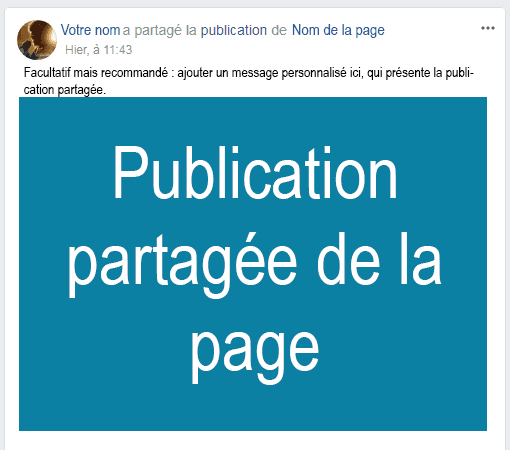
In the same vein, a Page cannot comment on or share content on a person's timeline (personal account, or profile). Your own name — that of your profile (or account) — will appear in place of your Page name if you comment on or share content on a user's profile.
We hope that this list of differences between a Facebook account/profile and a Facebook Page will help you see things more clearly and better understand this platform. Managing an account and/or a Facebook Page is fairly simple and intuitive once you know the technical terms. And an active presence on Facebook can be a genuine asset for your brand. Http5000 is here to answer your questions and help you find your way in this area.
YOU MAY ALSO LIKE
UGC, the future of marketing: How user-generated content can revolutionise your marketing strategy
by Yumea, 7 March 2023
UGC (User Generated Content) is changing the game in the world of marketing. With the rise of social media and content-sharing platforms, users are… READ MORE
Category: News , Getting visible online , Social media
Comments: 0
How to use Instagram to reach your audience and drive traffic to your site?
by Yumea, 1 February 2023
Social media has become an indispensable tool for businesses looking to reach their target audience and drive traffic to their website. With more than 3.8 billion active users… READ MORE
Category: Getting visible online , Instagram , Social media
Comments: 0
7 Artificial Intelligence (AI) tools to know in 2023
by Yumea, 12 January 2023
In 2023, there are many platforms using artificial intelligence (AI) to help users write content and generate images. If you are looking for tools to help you write… READ MORE
Category: News
Comments: 0