
Swift, a reliable and intuitive programming language, has greatly improved and simplified the lives of developers.
Code is simpler and more stable as a result. It comes as no surprise, then, that Swift has become one of the most widely used programming languages. This type of code has indeed introduced many new and helpful characteristics, which are particularly relevant for the iPhone 7 and 7 Plus, amongst others.
The mobile market continues its exponential rise. What's more, Google now prioritises smartphone search results. This speaks volumes about the enormous impact these devices have on the digital world.
If you are considering designing a mobile application, understanding the concepts and new features offered by Swift can be enormously useful. Even if the actual programming work will be handled by your developers and coders, knowing what they are talking about and having a better grasp of the elements involved in the creation process can only benefit you.
Furthermore, this kind of overview may give you a few ideas for your application — or, conversely, show you whether an existing idea is feasible and in line with your project.
Let us therefore explore the elements involved in building an application with Swift and its advantages.
Rapid prototyping
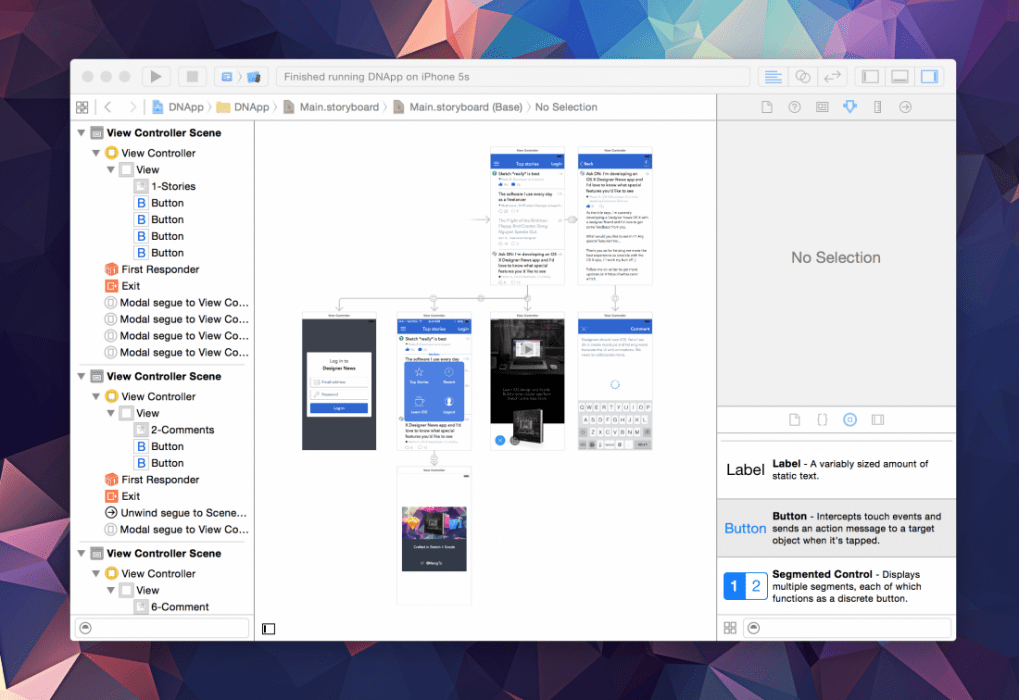
Xcode, which allows you to programme the Swift language, enables the creation of a rapid prototype for your future application. A mockup that will let you see concretely what your project might look like — and all without writing a single line of code. How could you make it any simpler?
Transitions
To differentiate your application, you can use one of six types of transition: Cover Vertical, Flip Horizontal, Cross Dissolve, Partial Curl, Push, or no transition at all.
Storyboard
With the Swift language, you can use the Storyboard to manage the application's design visually — without writing a single line of code.
Responsive application
Having a responsive application is essential in today's world. Screen sizes and resolutions are increasingly varied and will certainly continue to multiply in the future.
Ensuring that your application can adapt its display to all types of screen must therefore be a priority.
– Automatic layout with Auto Layout
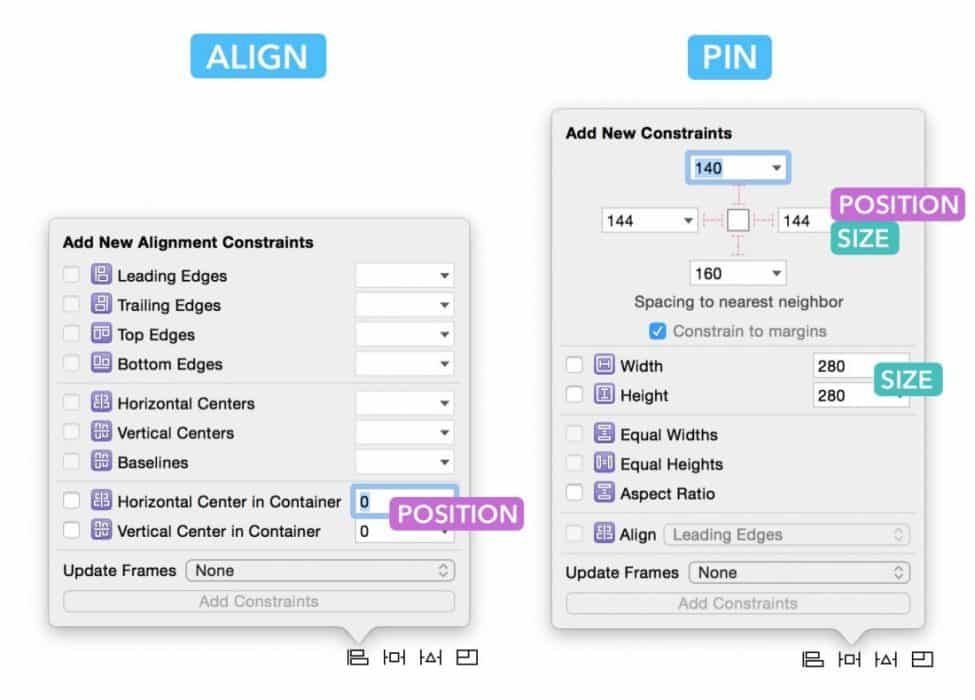
Auto Layout requires two things: defining the position and size of your elements. As long as you enter this information, Auto Layout will work perfectly.
There are two ways to meet these requirements: alignment and Pin.
- Alignment allows you to centre your elements and align them relative to one another.
- Pin allows you to choose the size and spacing between your elements and the edge of the screen.
– Element spacing parameter
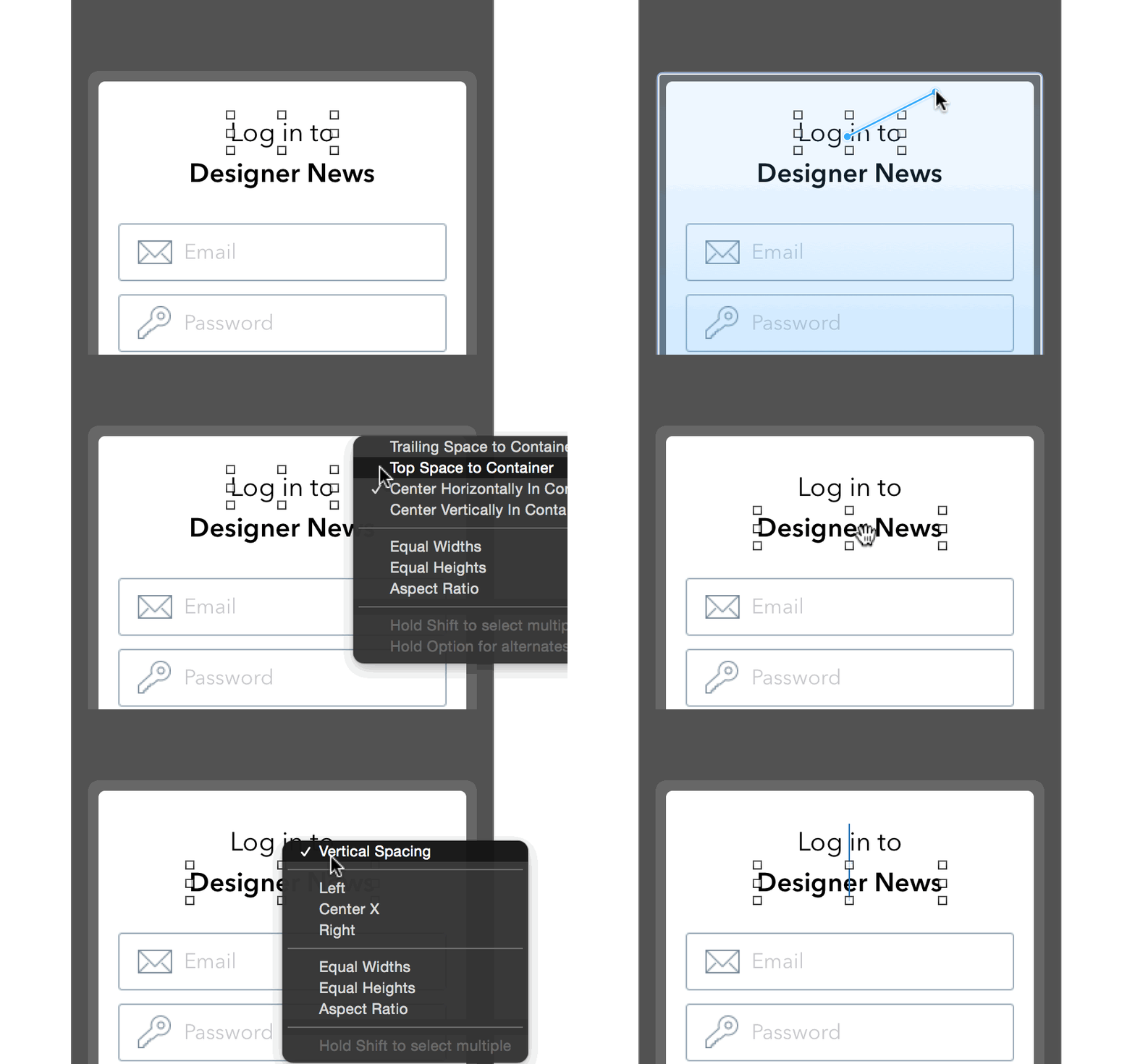
This parameter allows you to adapt the spacing between your elements according to the dimensions of the screen on which your application is displayed.
Preview tool
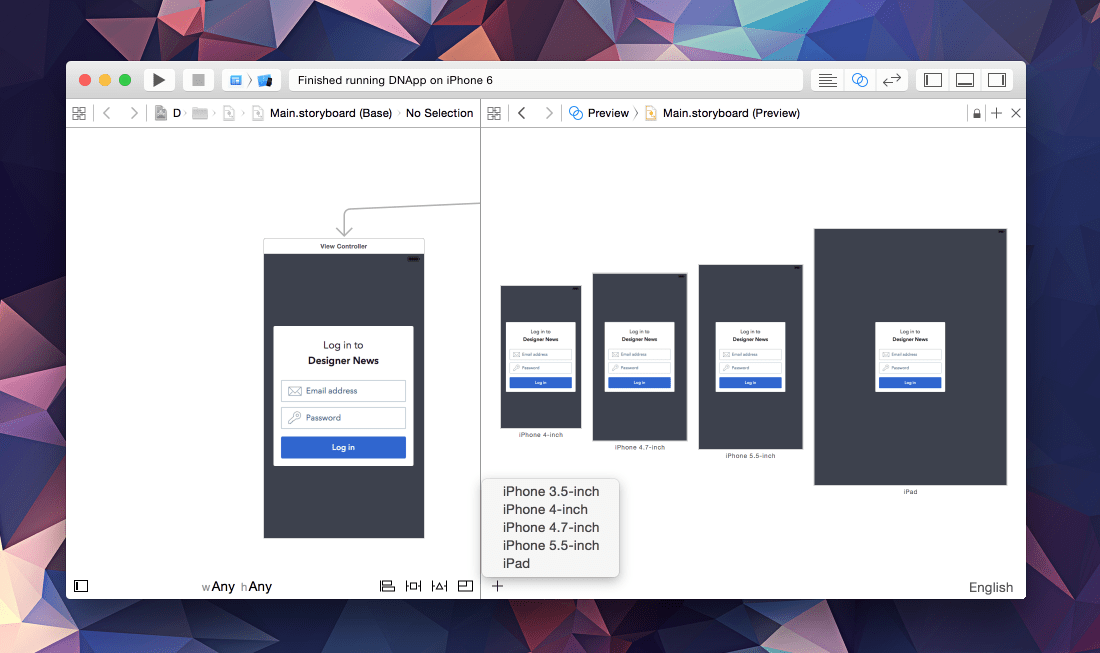
This tool allows you to quickly check what your application will look like on iPhone 3.5, 4, 4.7, and 5.5, and on iPad in both portrait and landscape mode — without having to launch the application each time.
Device sizes
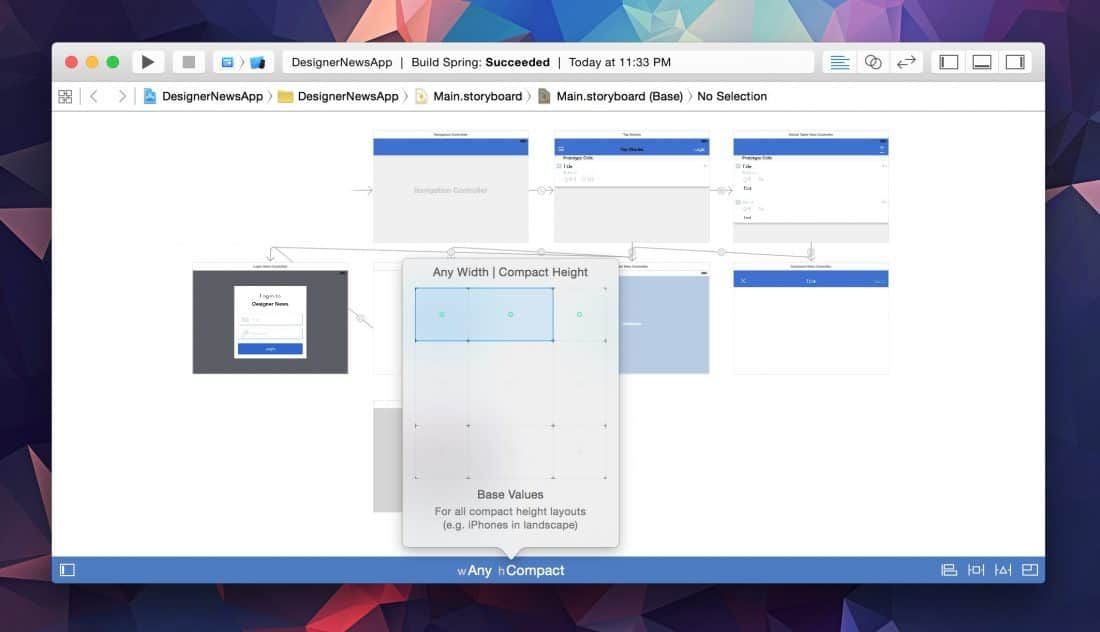
You can choose specific size and spacing parameters according to the type of device being used.
Equally, you can decide to add an additional menu or make certain elements larger depending on the device in use.
(Freely translated from DesignCode)